Reduce gateway exposure, VDI dependency and operational complexity by moving secure access directly to the application.
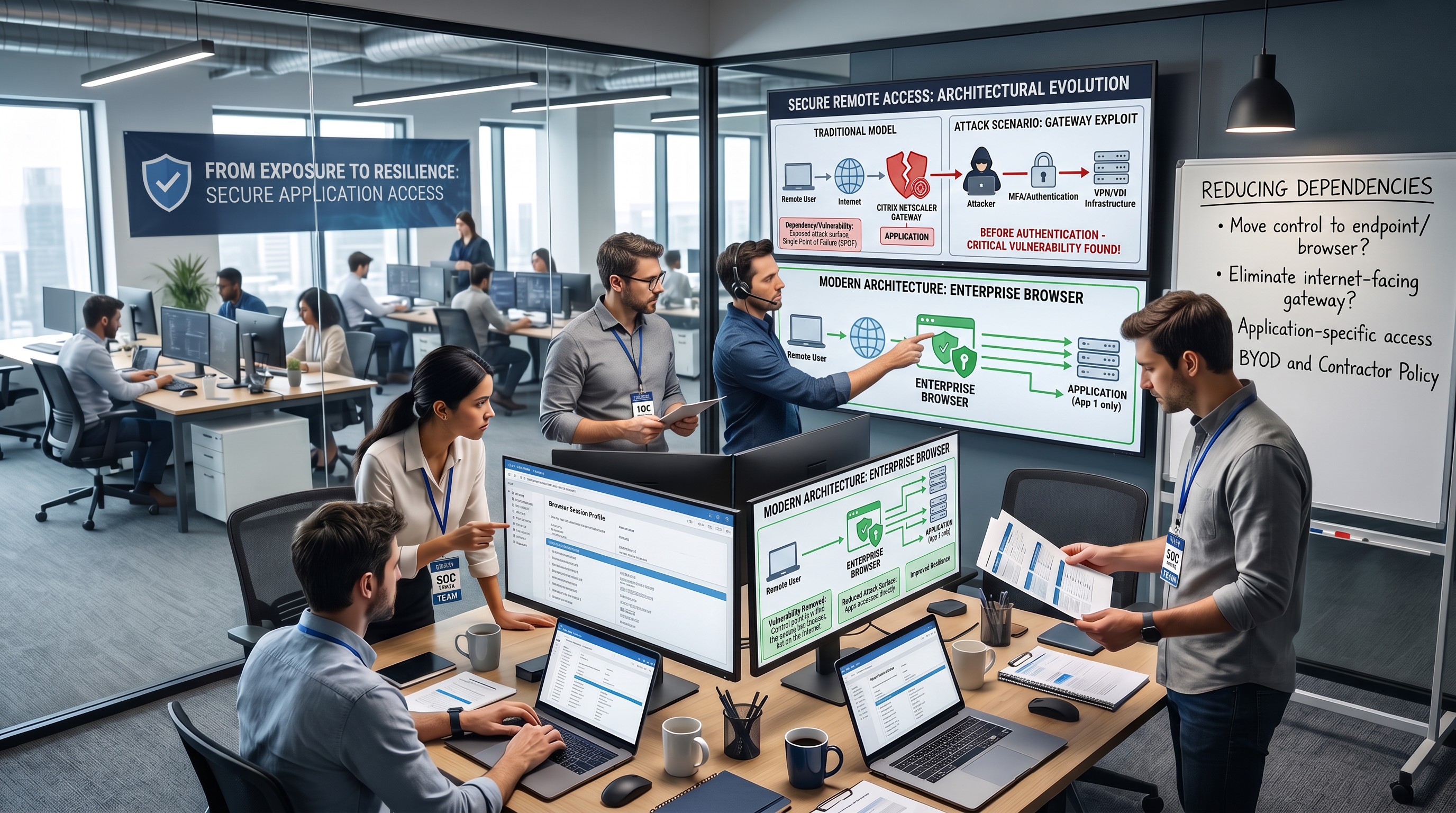
Remote access has traditionally been built around a simple principle: create a secure entry point into the corporate environment and force remote users through it.
For many organisations, that entry point is the Citrix NetScaler Gateway.
The mode lis familiar:
User →Internet-facing gateway → VPN/VDI → application
It has worked for years. But it also creates an architectural dependency that deserves a fresh look.
Because the gateway is not just protecting access.
It is also exposed to the internet.
And when that gateway becomes vulnerable, the technology designed to protect remote access can itself become part of the attack surface.
The traditional remote-access model
A NetScaler Gateway typically acts as a central entry point for employees, contractors and other external users.
The gateway accepts inbound connections, authenticates users and routes them through VPN, VDI or other remote-access infrastructure before they reach the applications they need.
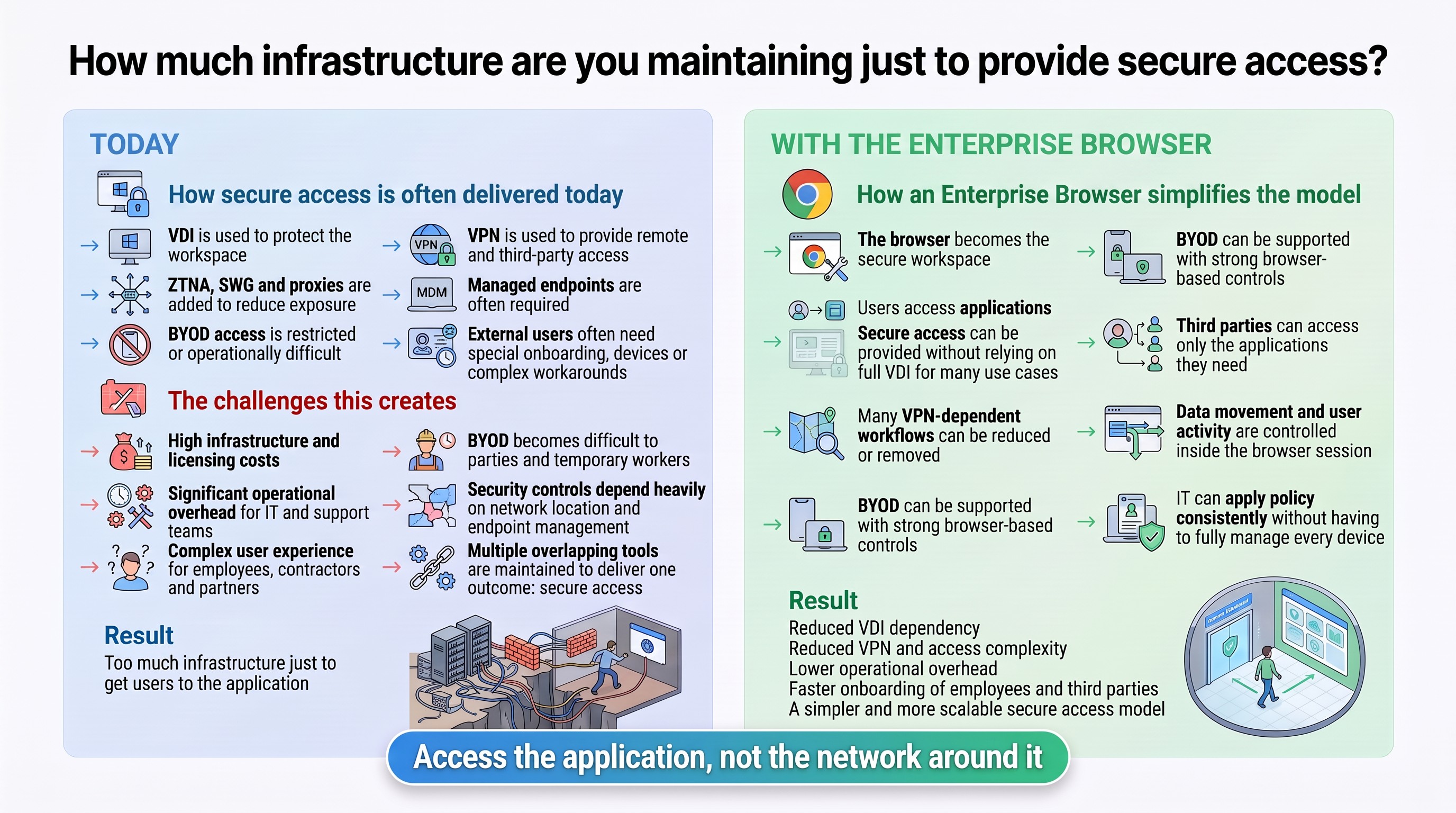
VDI adds another layer of protection by keeping applications and data inside a centrally managed environment. This can be particularly useful for unmanaged devices, BYOD and external users.
BUT the model also introduces dependencies.
The organisation must continuously maintain and protect:
The result is often a significant amount of technology simply to provide secure access to applications.
When the secure gateway becomes the risk
Any internet-facing infrastructure will be continuously scanned and probed.
That matters because vulnerabilities affecting remote-access gateways can sometimes be exploited before normal security controls even become relevant.
If an attacker can compromise a gateway before authentication, MFA does not necessarily solve the problem.
And because the gateway is often a central access point for thousands of users, a single critical vulnerability can create a much larger operational issue.
Security teams may suddenly face a difficult decision:
Keep the gateway running and accept the risk, or shut it down and potentially disrupt remote access across the business.
At that point, a cybersecurity incident can quickly become a business-continuity problem.
The question is therefore not simply:
How do we make the gateway more secure?
A more fundamental question is:
Why does the user need access through a gateway in the first place if all they actually need is access to one application?
Moving the control point to the Enterprise Browser
The Enterprise Browser changes the architecture.
Instead of using a public-facing gateway as the primary control point, private applications can be accessed through an application-centric model.
With enterprise browser Private Access, for example, a connector inside the private environment establishes outbound connections.
The internal application does not need to become publicly accessible, and supported application access does not require a traditional inbound gateway.
The access model becomes closer to:
User →Enterprise Browser → authorised application
rather than:
User →Gateway → network/VDI → application
That distinction is important.
The user receives access to the resource they need - not necessarily to the network,virtual desktop or broader environment around it.
Access the application, not the network
This can be particularly valuable for contractors, suppliers and BYOD users.
A contractor who needs access to three business applications should not necessarily need a full virtual desktop or broad network connectivity.
Instead, access can be evaluated according to factors such as:
Policies can be applied at the individual application level.
Internal web applications can remain private, while RDP and SSH use cases can also be governed through the browser.
For many browser-based workloads, this can reduce dependence on VPN and VDI infrastructure.
Security should not stop at authentication
There is another important difference.
Traditional remote-access architecture focuses heavily on establishing a secure connection.
But once the user reaches the application, the real question becomes:
What are they allowed to do with the data?
An Enterprise Browser can keep policy active throughout the session.
Organisations can control actions such as:
Device posture and session context can continue influencing policy after authentication.
This moves the security model from simply controlling who may enter to controlling what an authorised user may actually do once inside.
The bigger architectural question
Citrix, VDI and VPN remain appropriate for many workloads. Not every application can or should move to a browser-based access model.
BUT, organisations should increasingly ask whether they still need to route every remote user through the same infrastructure.
If an application already runs in a browser, does the user really need:
VPN +gateway + VDI + virtual desktop
just to access it securely?
Or could the browser itself become the secure workspace?
The opportunity is not simply to replace one product with another.
It is to reconsider how much infrastructure is actually necessary to provide secure access.
The question worth asking
Why expose a gateway when the user only needs the application?
The difference is architectural:
A public entry point into the environment versus outbound-only, application-level access with security controls that remain active throughout the session.
That can mean a smaller attack surface, less infrastructure dependency and a simpler way to provide secure access to employees, contractors and unmanaged devices.
If you are responsible for reducing attack surface and operational dependency, one question is worth asking:
Which remote-access components are still necessary and which are simply inherited from the old architecture?
Strengthen your session and control framework - contact CySecPros for a confidential discussion.
.svg)